
-Authority
After your purchase please make sure to follow this Pre Requirements Video, otherwise cheats wont work. You can download the MadChad support tool as seen on the Video HERE.
Pre Requirements Video:
Video Of Setup:
Steps:
1. Receive Your Key
After a successful purchase at the Mad Chad store, you will receive a key to activate your subscription for the DayZ cheat.
2. Prepare for Download and Running the Software:
Disable all antivirus and Windows Defender:
This is essential to ensure the software runs without interference.
Download the Cheat Loader:
Important: You must enter your key to download the loader.
Place the downloaded file in a separate folder for easy access.
Ensure the game is completely closed before launching the loader.
Running the cheat while the game is running is strictly prohibited.
3. Launch the Cheat Loader:
Step 1: Launch the downloaded cheat loader as an administrator.
Step 2: Enter the activation key you received after purchase.
If the loader closes, a new one will appear next to it. Launch the new file.
Step 3: Click "Inject" to continue running the program.
4. Launch the Spoofer:
You will be prompted to launch the Spoofer.
Select "Yes" or "No" to continue.
After opening the spoofer window, enter 0 and press Enter.
5. Enter the Game and Inject the Cheat:
Step 1: Enter the game.
Step 2: Press F2 in the main menu to inject the cheat menu.
Hotkeys and Cheat Features:
Show/Hide Cheat Menu:
Use the Home key to toggle the menu.
You can change this key in the Config tab.
Panic Key (F11):
Pressing F11 will turn off the cheat and completely unload it from memory.
Use this if you change your mind about using the cheat but don’t want to restart your PC.
You can reassign this key in the Config tab.
Battle Key (F2):
Pressing F2 activates Combat Mode.
In Combat Mode, the cheat’s ESP will only show players, and all unnecessary elements (loot, cities, etc.) will disappear from the screen.
Aimbot Exceptions (Friend List):
To add a player to the aimbot's exceptions, press F5 when hovering over that player with the aimbot.
Configuration System:
The cheat allows you to save your settings.
To save your settings, click Save in the Config tab.
To load these settings, click Load the next time you start the cheat.
What to Do If the DayZ SA Cheat Doesn't Work?
The most common issue is having an antivirus or Windows Defender enabled. Double-check this aspect. Disabling Windows Defender:
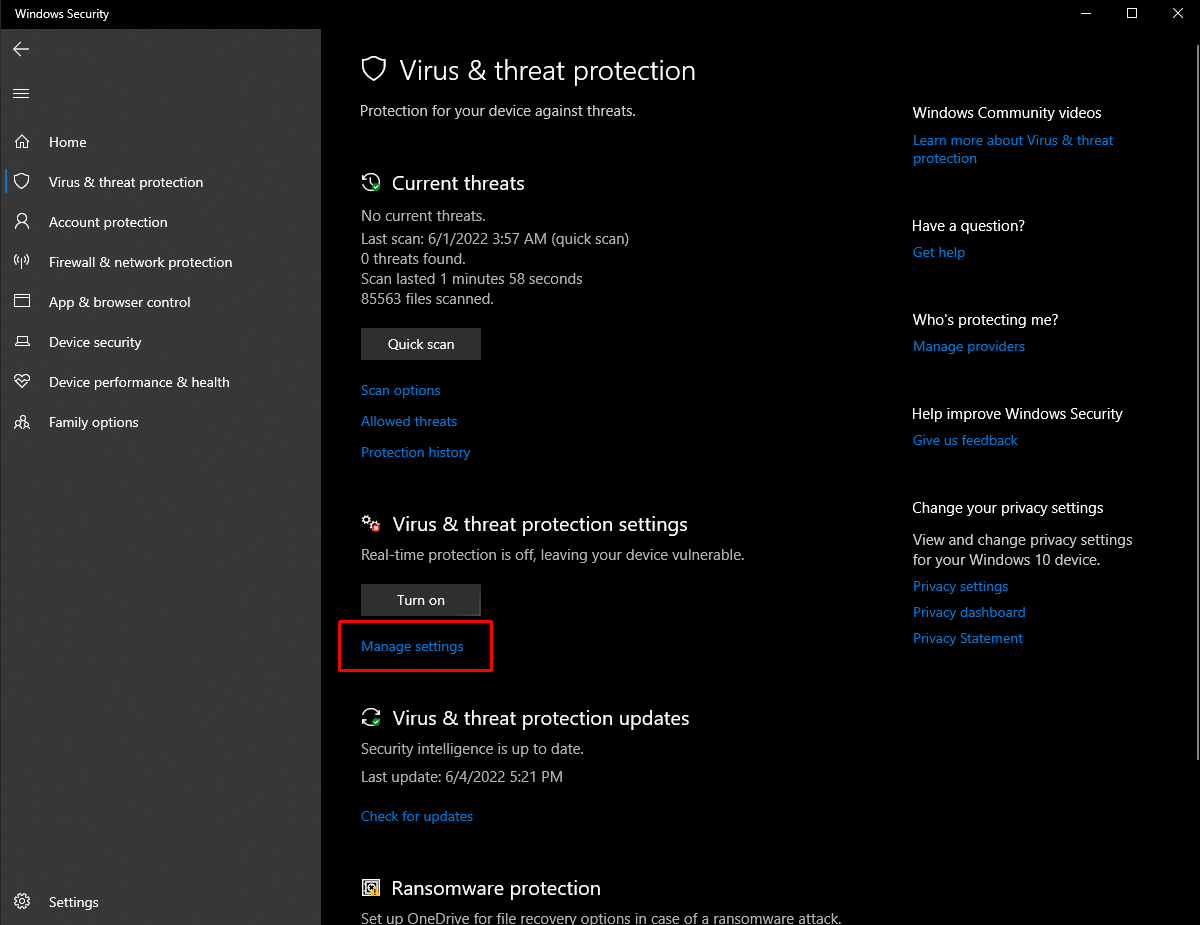
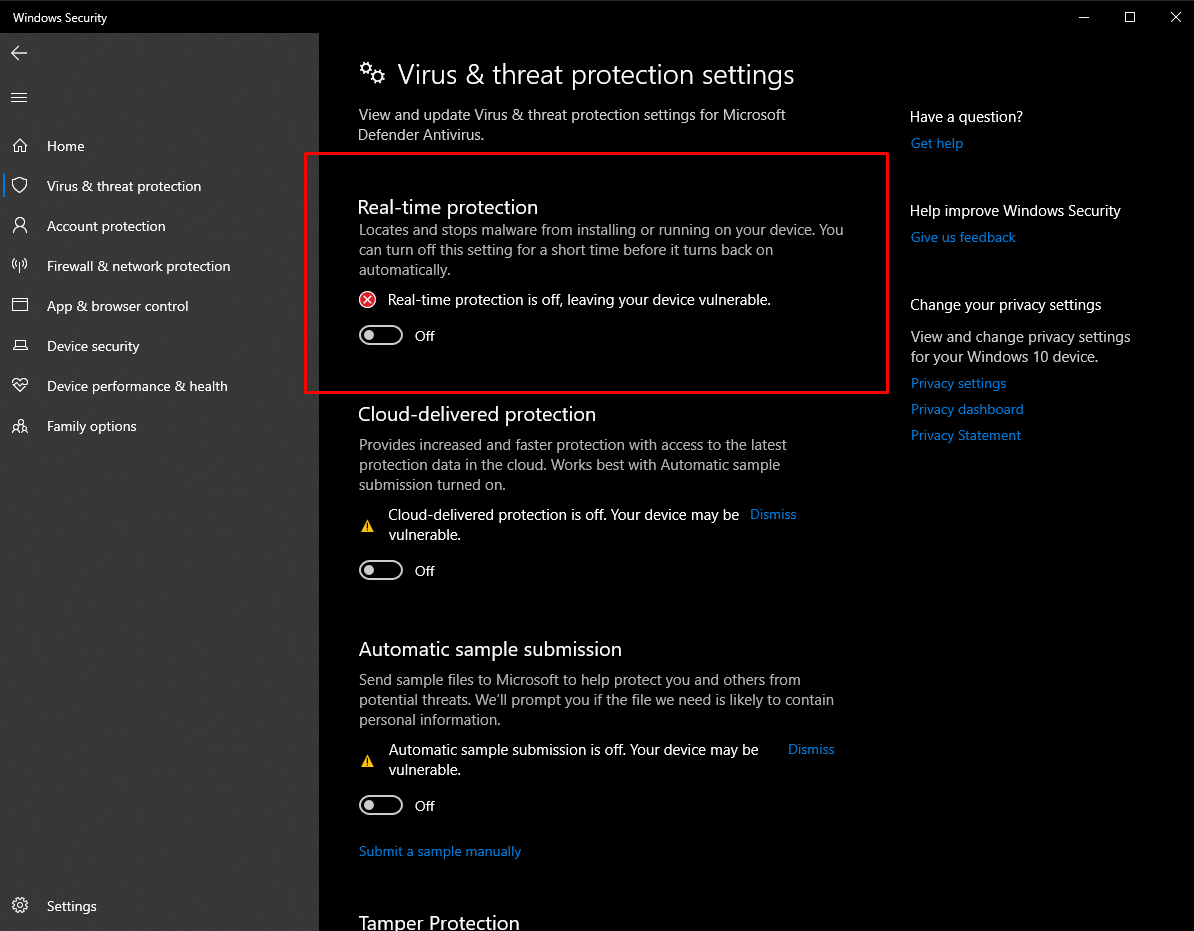
To ensure the proper functioning of the cheat and loader, you should disable UAC (User Account Control).
Type UAC in the Windows search bar.
Open "Change User Account Control settings."
Move the slider to the lowest position.
Important: We do not recommend using cheats on your main account if you value it. Even if the cheat has been undetected for a long time, this can change at any moment. Therefore, it is advisable to use separate accounts for playing with cheats to avoid any regrets.
To run the cheat, you must also disable Reputation-based Protection.
Open the Start (Windows) menu and search for "Reputation-Based Protection."
Open this window.
In the window that opens, disable all options.
Last updated